
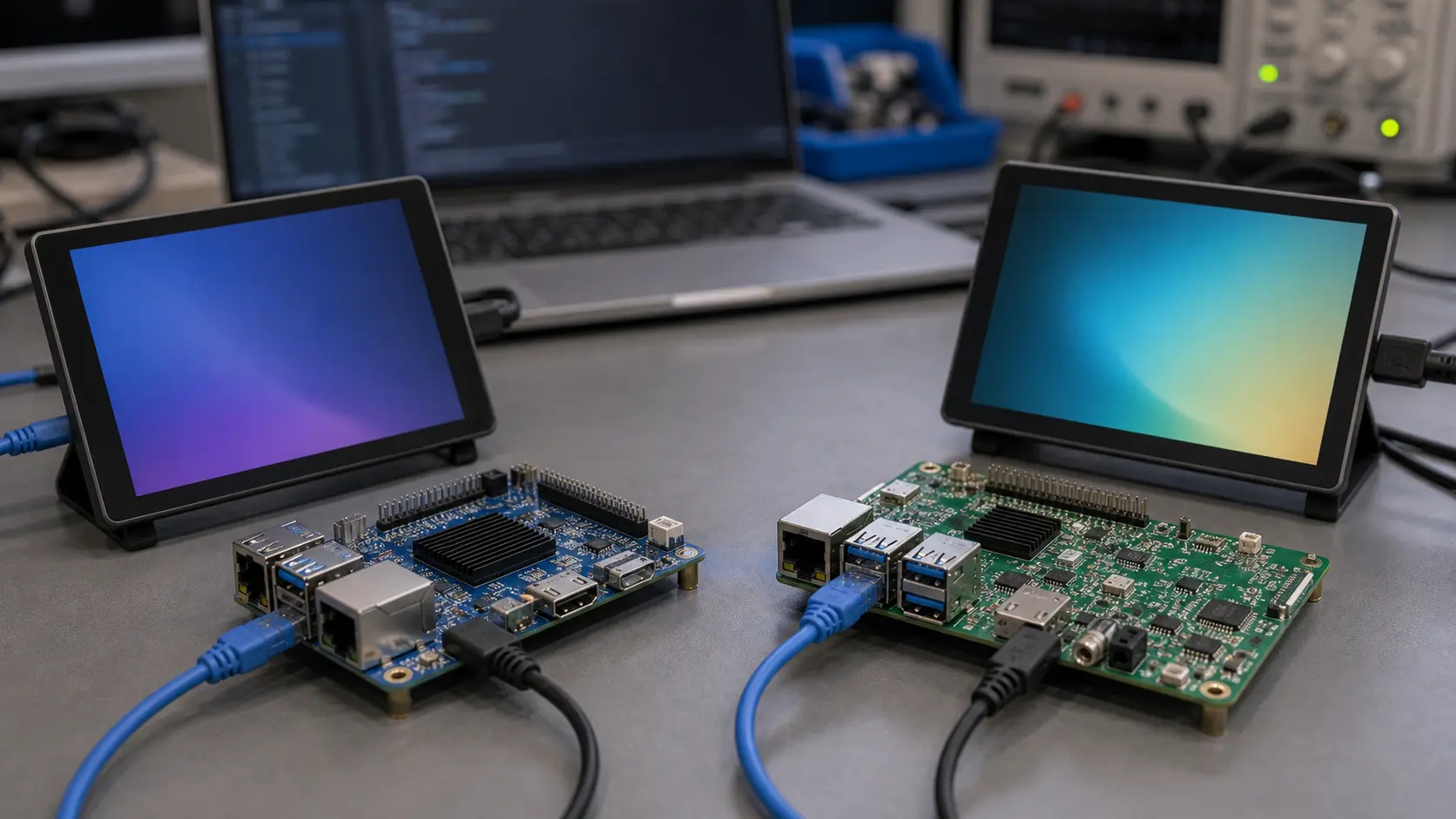
Single Board Computers (SBCs) have transformed the way embedded systems are designed, built, and deployed. From industrial automation to smart home control panels, SBCs offer a compact, cost-effective, and customizable computing solution.
But when it comes to choosing the right platform, the debate between Android SBC and Linux SBC is one that embedded engineers and product managers face often.
This guide provides a detailed, side-by-side comparison to help you decide which option fits your embedded project best.
1. Understanding the Basics
Before we dive into the comparison, let’s define each platform.
What is an Android SBC?
An Android SBC is a single board computer running the Android operating system, usually based on ARM processors.
It offers:
- A familiar Android UI
- Support for existing Android apps (APKs)
- Strong multimedia performance
- Touchscreen-optimized interface
What is a Linux SBC?
A Linux SBC runs a Linux distribution such as Ubuntu, Debian, or a custom embedded Linux build (e.g., Yocto, Buildroot).
It offers:
- High flexibility in OS customization
- Strong performance in headless and command-line-based applications
- Wide driver support in industrial and IoT environments
2. Performance Comparison
Performance in SBCs depends on CPU architecture, GPU capabilities, RAM, and storage.
| Feature | Android SBC | Linux SBC |
|---|---|---|
| Boot Time | 10–20 seconds | 2–5 seconds |
| Multimedia | Excellent, hardware-accelerated | Good, but may require configuration |
| Graphics/UI | Smooth, built-in GPU optimization | Depends on toolkit (Qt, GTK, LVGL) |
| Real-time Processing | Less optimized for hard real-time | Better suited for low-latency workloads |
Key Insight:
If your project involves HMI panels, kiosks, or multimedia-driven UIs, Android SBCs often provide a smoother experience out of the box.
For real-time industrial control, Linux SBCs have an edge.
3. Development Ecosystem and Tooling
Android SBC:
- Development with Android Studio
- Access to a huge pool of Android developers
- Pre-built APIs for multimedia, networking, and sensors
- Easy deployment of APKs
Linux SBC:
- Development with GCC, CMake, cross-compilers
- Highly customizable for low-level optimization
- Large open-source ecosystem
- More control over kernel and driver-level changes
4. Connectivity and I/O Support
Both Android and Linux SBCs offer rich I/O options:
- USB, Ethernet, HDMI, MIPI DSI, LVDS, GPIO, UART, I²C, SPI
Linux SBCs are often better suited for custom industrial I/O expansion because of flexible driver integration.
Android SBCs excel in built-in Wi-Fi, Bluetooth, and cellular modem integration for IoT devices.
5. Stability and Long-Term Support
Historically, Android SBCs were criticized for stability issues. However, with Android 11+, system reliability has improved dramatically, including:
- Better memory management
- Robust OTA (Over-The-Air) update support
- Enhanced security patches
Linux SBCs have long been trusted for long-term industrial deployments, with many boards supported for 5–10 years.
6. Cost Considerations
Cost depends on:
- Hardware specs
- Volume
- Required certifications
Linux SBCs can be cheaper for minimal configurations, while Android SBCs may require higher-spec hardware to deliver a smooth UI experience.
However, when UI/UX is critical, Android SBCs can save development costs by reducing UI coding effort.
7. Example Use Cases
When to Choose Android SBC:
- Smart Home Control Panels
- Digital Signage
- Medical Diagnostic Tablets
- Interactive Kiosks
When to Choose Linux SBC:
- Industrial Gateways
- Factory Automation Controllers
- Headless IoT Gateways
- Robotics Control Systems
8. Future Trends
- Android SBCs are expected to expand in AI-enabled devices, edge computing for smart cities, and multimedia-rich kiosks.
- Linux SBCs will remain strong in industrial automation, autonomous vehicles, and robotics.
Beyond the choice of operating system, the hardware architecture (ARM vs x86) also plays a decisive role in performance, power efficiency, and ecosystem compatibility.
For an in-depth look at this topic, see: ARM vs x86: What’s Best for Industrial SBCs?.
9. Decision Framework
| Criteria | Best Choice |
|---|---|
| Rich multimedia UI | Android SBC |
| Real-time control | Linux SBC |
| Wide app ecosystem | Android SBC |
| Maximum OS control | Linux SBC |
| Easy developer hire | Android SBC |
| Long-term stability | Linux SBC |
Conclusion
The choice between Android SBC and Linux SBC depends entirely on your application requirements, developer resources, and long-term product roadmap.
If your project demands a touchscreen-first, multimedia-rich interface, Android SBCs offer a ready-to-go solution with faster time-to-market.
If you need deep OS customization, real-time control, and industrial-grade stability, Linux SBCs remain the gold standard.
For businesses that need tailored solutions, working with a manufacturer that can customize both Android and Linux SBCs ensures you get the best of both worlds — performance, reliability, and the exact features your application demands.
Production Notes and Review Checklist
A useful way to review android sbc vs linux sbc: which is better for embedded projects is to separate the attractive feature from the production responsibility that comes with it. A board, interface, display, or operating system choice may look simple during a demo, but the final product has to survive repeated boots, power loss, peripheral changes, enclosure heat, and software updates. Those conditions should be part of the article’s practical takeaway, not an afterthought.
For engineering teams, the review should include three records. The first is the hardware record: connector mapping, voltage levels, display timing, power budget, and any thermal measurements taken inside the intended enclosure. The second is the software record: Android build version, kernel changes, device tree changes, permissions, update method, and recovery path. The third is the supplier record: lifecycle expectations, lead time, change notice process, and who is responsible when a driver or firmware issue appears.
This matters because embedded Android products often fail in small, ordinary ways. A USB scanner may enumerate slowly after a cold boot. A serial adapter may work on a short cable but fail near a motor drive. A display may look correct on the bench but wake inconsistently after sleep. A firmware update may be safe in the office but risky when a field unit loses power. None of these issues make the platform unsuitable; they simply need to be tested before the design is frozen.
Before production, run a short validation pass with the real display, real power source, real enclosure, and all expected peripherals connected at the same time. Leave the device running long enough to expose heat and memory behavior. Reboot it from cold power. Disconnect the network. Fill part of the storage. Confirm that logs are available when something fails. This kind of checking is not glamorous, but it is the difference between a promising prototype and a product that support teams can stand behind.