
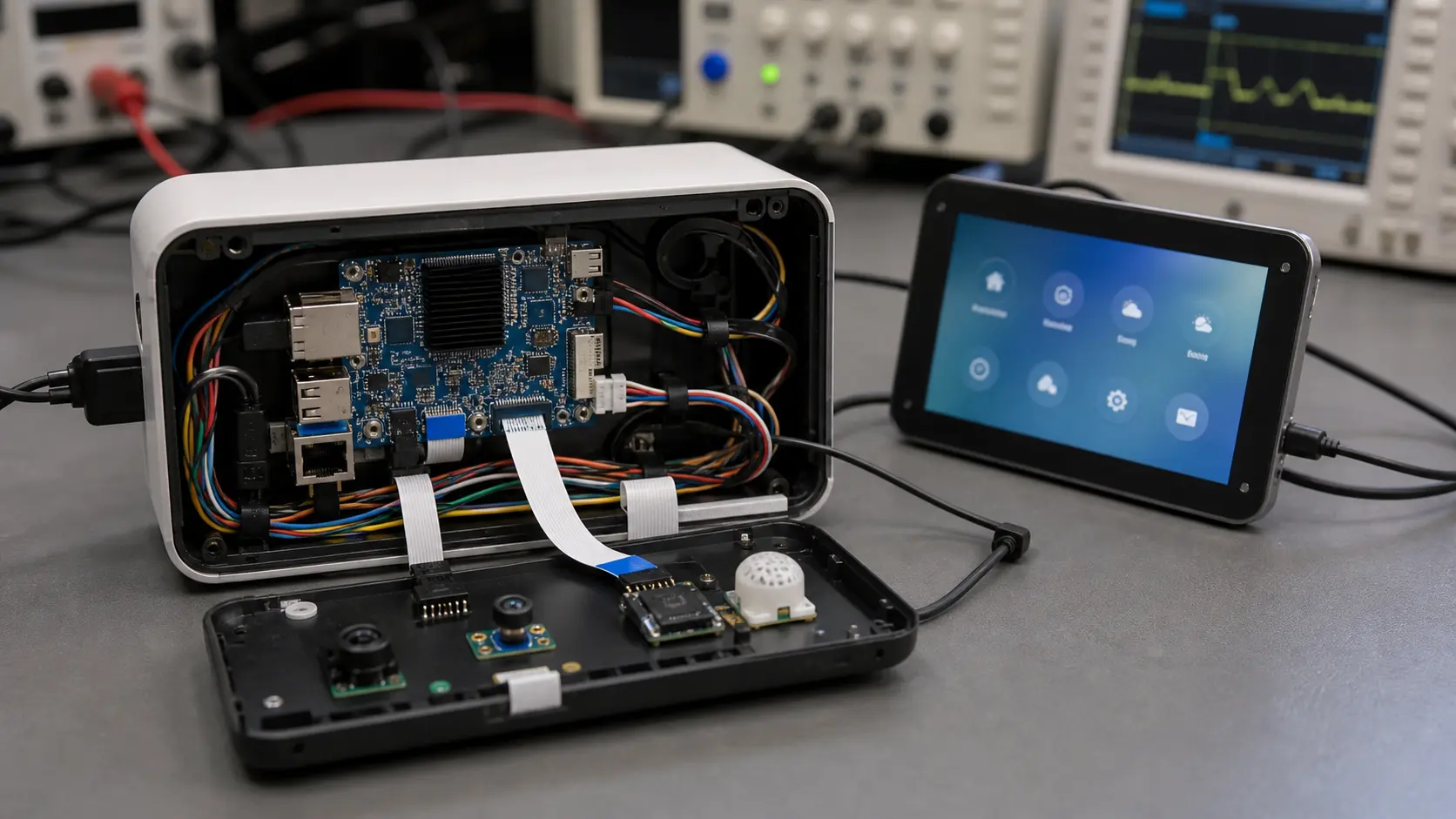
ARM-based Android Single Board Computers (SBCs) have become increasingly popular in recent years due to their compact size, energy efficiency, and ability to run a feature-rich operating system.
From industrial automation to consumer electronics, Android SBCs are transforming the way engineers design and deploy smart devices.
In this article, we explore ten practical and impactful applications of ARM-based Android SBCs, highlighting how they are reshaping industries.
1. Smart Home Control Panels
Android SBCs serve as the heart of modern smart home hubs, offering intuitive touch interfaces, voice control, and seamless integration with IoT devices.
These control panels often replace traditional switches and integrate with lighting, HVAC, and security systems.
The platform choice usually comes down to how much the product depends on Android’s UI stack compared with a custom Linux environment.
2. Digital Signage Systems
From interactive kiosks to retail advertising screens, Android SBCs power high-resolution displays that can be updated remotely.
They handle media playback, schedule management, and even dynamic content rendering.
3. Industrial HMI Panels
Factories and process plants rely on Android SBCs for Human-Machine Interfaces (HMI) that are touch-optimized and easy to maintain.
Paired with rugged TFT LCDs, they provide real-time monitoring and control.
4. Medical Imaging Terminals
Medical equipment manufacturers use Android SBCs for imaging workstations and diagnostic panels.
Their ability to handle high-resolution visuals and integrate with specialized peripherals makes them a reliable choice.
5. Point-of-Sale (POS) Terminals
Android-based POS systems combine a familiar interface with advanced payment processing capabilities, ideal for retail and hospitality industries.
6. Smart Vending Machines
SBC-powered vending machines offer interactive product selection, cashless payment, and cloud-based inventory management.
7. Edge AI Devices
With powerful ARM processors and GPU acceleration, Android SBCs enable on-device AI processing for facial recognition, anomaly detection, and more.
This is where the ARM-based Android SBC model is strongest: local processing, a managed application layer, and hardware compact enough for embedded enclosures.
8. Automotive Infotainment Systems
Automakers integrate Android SBCs into dashboards for navigation, entertainment, and real-time vehicle data visualization.
9. Educational Tools and Labs
Low-cost Android SBCs are used in schools and universities for coding classes, robotics projects, and STEM education.
10. Portable Test and Measurement Instruments
Engineers develop custom portable analyzers and testers with Android SBCs, benefiting from touchscreen UI and wireless data sharing.
Conclusion
ARM-based Android SBCs are no longer niche components—they are key enablers of innovation across multiple sectors.
Their versatility, coupled with Android’s rich ecosystem, makes them a strong choice for both prototyping and mass production.
For readers interested in industrial applications of SBCs, you can explore additional curated resources here: Industrial SBC Reference Hub.
By exploring the possibilities in these ten real-world applications, you can better understand where an Android SBC might fit into your next project.
Production Notes and Review Checklist
A useful way to review top 10 real-world applications of arm-based android sbcs is to separate the attractive feature from the production responsibility that comes with it. A board, interface, display, or operating system choice may look simple during a demo, but the final product has to survive repeated boots, power loss, peripheral changes, enclosure heat, and software updates. Those conditions should be part of the article’s practical takeaway, not an afterthought.
For engineering teams, the review should include three records. The first is the hardware record: connector mapping, voltage levels, display timing, power budget, and any thermal measurements taken inside the intended enclosure. The second is the software record: Android build version, kernel changes, device tree changes, permissions, update method, and recovery path. The third is the supplier record: lifecycle expectations, lead time, change notice process, and who is responsible when a driver or firmware issue appears.
This matters because embedded Android products often fail in small, ordinary ways. A USB scanner may enumerate slowly after a cold boot. A serial adapter may work on a short cable but fail near a motor drive. A display may look correct on the bench but wake inconsistently after sleep. A firmware update may be safe in the office but risky when a field unit loses power. None of these issues make the platform unsuitable; they simply need to be tested before the design is frozen.
Before production, run a short validation pass with the real display, real power source, real enclosure, and all expected peripherals connected at the same time. Leave the device running long enough to expose heat and memory behavior. Reboot it from cold power. Disconnect the network. Fill part of the storage. Confirm that logs are available when something fails. This kind of checking is not glamorous, but it is the difference between a promising prototype and a product that support teams can stand behind.
Practical Deployment Considerations
The final decision should also include maintenance. A device that works well during a sales demonstration can still create problems if technicians cannot identify the board revision, firmware build, display model, or cable orientation in the field. Put this information in the service record and, where appropriate, expose a read-only diagnostics screen inside the Android application. That screen does not need to be elaborate. It should show software version, network state, storage condition, uptime, display mode, and the status of major peripherals.
For long-running products, define what will trigger a redesign. It may be an end-of-life notice, a memory substitution, an Android security requirement, or a new display supplier. Without that rule, teams tend to redesign too late, when purchasing pressure is already high. A planned migration path gives engineering time to test alternatives without rushing a production order.
Finally, keep the acceptance test close to the real use case. If the product is touched all day, test touch all day. If it plays video, test the real playlist. If it communicates with machines, test real cable lengths and noisy power. Embedded Android products become reliable when the validation environment stops being polite and starts looking like the field.
A good application map should therefore include both opportunity and constraint. Android SBCs are useful because they shorten interface development, but each deployment still needs power, thermal, display, network, and support planning. Treat the board as part of a complete product, not as a generic computer hidden behind a screen.
For buyers, the practical question is not whether Android SBCs can be used in many industries. They can. The better question is which application has enough volume, support discipline, and enclosure planning to justify a stable embedded platform instead of an improvised tablet-style design.
That distinction is where stronger products usually begin. Production teams notice this.