
Engineers deploying Android SBCs in the field — inside kiosks, along factory floors, on warehouse ceilings — keep running into the same problem: getting power to a board that’s already connected by Ethernet. Running a separate DC cable to each node is clean on paper. In reality it means more conduit, more connectors, and one more failure point per installation.
PoE looks like the obvious fix. But Android SBCs, unlike IP cameras or VoIP phones, weren’t designed with PoE in mind. Most don’t include an onboard PD (Powered Device) controller. That leaves engineers with two practical options: attach an external PoE splitter, or design a custom carrier board with an integrated PD IC. Both work. They solve different problems and create different ones.
This article walks through both approaches so you can choose the right one for your deployment — and avoid the mistakes that show up in field installs.
What a PoE Splitter Actually Does
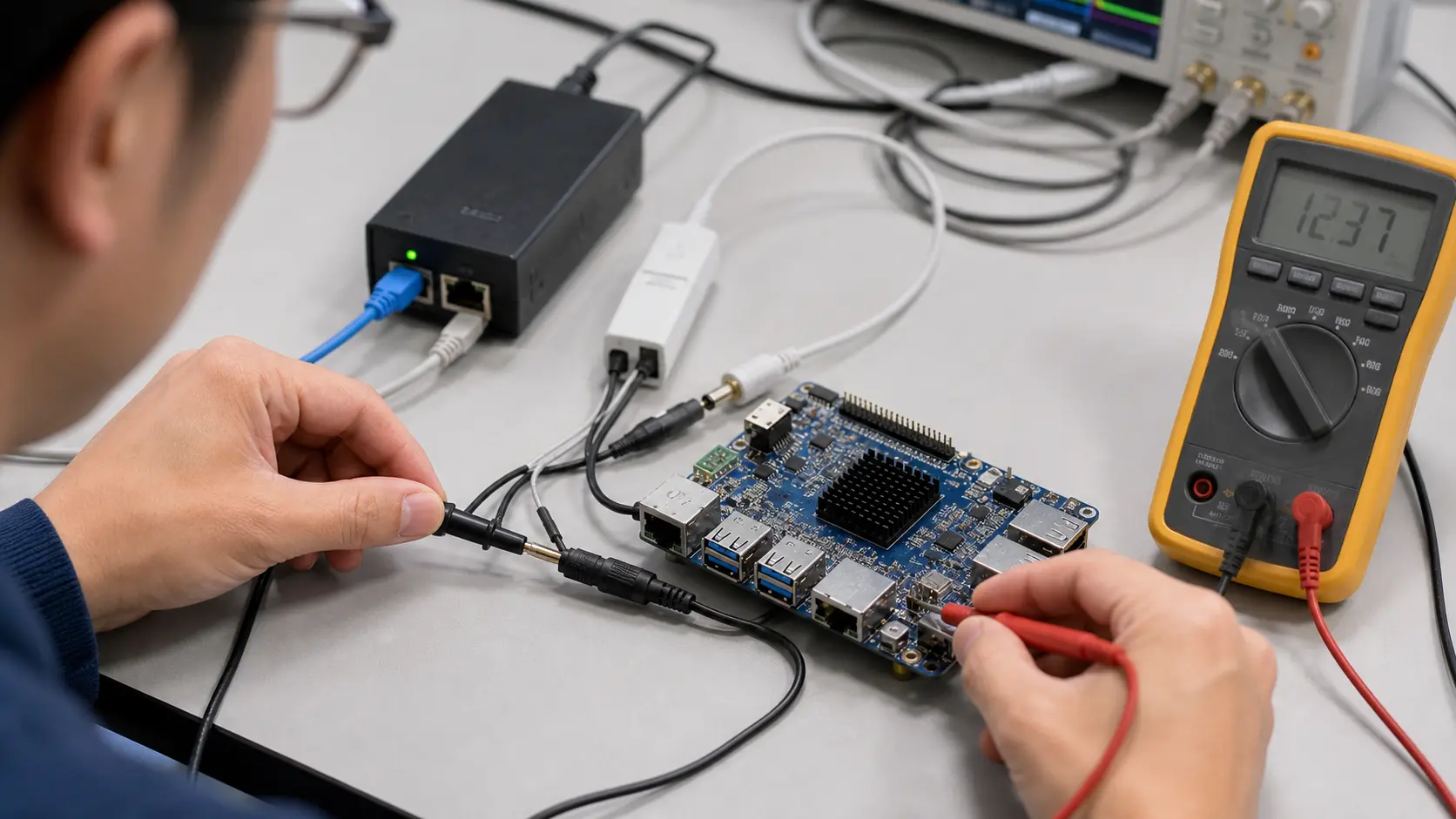
A PoE splitter sits between your switch and your SBC. It takes the incoming PoE signal, extracts power from the Ethernet pairs, and outputs two things: a standard RJ45 data connection and a DC barrel jack (typically 5 V or 12 V). The SBC plugs into both. From the board’s perspective, it sees a normal network cable and a normal power supply.
Active PoE splitters negotiate with the switch using the 802.3af/at classification handshake before drawing power. Passive splitters skip that handshake entirely — they pull power whether or not the port is PoE-capable. Don’t use passive splitters on managed switches that weren’t configured to expect them. You’ll either trigger port protection or disrupt negotiation on adjacent ports.
The Power Budget Problem
This is where most deployments run into trouble, and it’s almost always because engineers use 802.3af when they should be using 802.3at.
802.3af delivers up to 15.4 W at the PSE (the switch port). After resistive losses over up to 100 m of Cat5e cable, the PD receives a guaranteed minimum of 12.95 W. That’s tight for an Android SBC. A board running RK3566 at moderate load draws roughly 5–7 W. Add a 7-inch MIPI DSI display (another 2–3 W), a USB peripheral or two, and you’re close to the ceiling — or past it under transient load.
802.3at (PoE+) raises the available power to 30 W at the PSE, with at least 25.5 W guaranteed at the PD. That’s the standard most Android SBC deployments should target.
| Standard | PSE Max Output | PD Guaranteed Min | Notes |
|---|---|---|---|
| 802.3af (PoE) | 15.4 W | 12.95 W | Adequate only for low-power, display-free SBCs |
| 802.3at (PoE+) | 30 W | 25.5 W | Baseline for SBCs with displays and peripherals |
| 802.3bt Type 3 (PoE++) | 60 W | 51 W | RK3588-class boards with heavy peripheral load |
| 802.3bt Type 4 | 100 W | 71.3 W | Workstation-class embedded systems |
If your deployment includes Android SBCs with touchscreens, 802.3at is the floor. 802.3bt Type 3 becomes relevant when you’re running an RK3588-based board with multiple USB 3.0 devices and a 10-inch or larger display — that combination can draw 35–45 W under real operating conditions.
One thing the spec sheets won’t mention: cable quality matters more than people expect. Old Cat5 cabling with long horizontal runs will lose more than the standard assumes. If you’re close to the budget ceiling, measure actual cable resistance before committing to a switch specification.
Voltage Selection and SBC Compatibility
Most PoE splitters output either 5 V or 12 V, and some include a selector switch. Check your SBC’s input voltage requirements carefully — this sounds obvious, but it’s a consistent source of field failures.
Boards based on RK3566 or RK3568 typically accept 12 V DC input. Some newer designs accept 5 V via USB-C PD negotiation, but that’s a separate path from a barrel jack splitter output. A splitter outputting 5 V into a 12 V input will either fail to boot or reset under load. The reverse — 12 V into a 5 V input — destroys the board. Verify the voltage, verify the connector polarity, and if you’re buying splitters in volume, test a production sample against your exact SBC variant before placing the full order.
Also check the splitter’s current rating at your target voltage. A 30 W splitter outputting 12 V can source a maximum of 2.5 A. An RK3588 board with display and peripheral load can spike past 3 A during boot. Build in margin — don’t run at the splitter’s rated limit.
When Splitters Are the Right Choice
Splitters make sense when:
- You’re prototyping or running a small deployment (under 50 units) and don’t need a custom carrier board
- Your SBC vendor doesn’t offer a PoE carrier board variant
- You need to deploy quickly and your switch infrastructure already supports 802.3at
- Physical space in the enclosure accommodates the extra component
They become problematic when the deployment scales past a few dozen units, when enclosure geometry is tight, or when you need PoE negotiation integrated with the board’s power management. At volume, the per-unit cost and mechanical overhead of individual splitters adds up quickly.
Integrated PoE on Carrier Boards
The alternative is a carrier board — either from your SBC vendor or a custom design — that includes a PoE PD IC directly on the board. Common choices include the Texas Instruments TPS23881 and the Silvertel Ag9905M. The PD IC handles IEEE classification negotiation, inrush current limiting, and power conversion without any external components.
This is cleaner from a deployment standpoint. One cable in, no dangling splitter, no external power brick. It’s the right approach for anything going into volume production or into an enclosure with strict mechanical constraints.
The trade-off is cost and development time. Adding a PoE PD stage to a carrier board increases BOM cost and design complexity — you’re adding a flyback or synchronous buck converter at higher power levels, managing thermal dissipation in a constrained PCB area, and adding compliance scope (IEC 62368-1 in most markets). Budget an extra 6–10 weeks for the first hardware revision if your team hasn’t done a PoE design before.
A practical middle ground: several SOM vendors offering RK3566 and RK3568 modules have standard carrier boards with integrated PoE+. If one of those fits your form factor requirements, it’s almost always faster than designing from scratch.
Pre-Deployment Checklist
Before finalizing a PoE-based Android SBC deployment:
- Measure actual board power draw under realistic load — run a 10-minute stress test with your full software stack, connected display, and any USB peripherals attached. Idle draw is not a useful number for splitter sizing.
- Confirm 802.3at support on the specific ports you’re using. Some switches mix PoE and non-PoE ports on the same chassis; check the port map in the datasheet, not just the product marketing name.
- Check total PoE budget on the switch. A 24-port 802.3at switch may have a total PoE budget of 370 W — roughly 15 W average per port. If all ports are loaded near their maximum, some devices won’t get power. Plan port allocation before installation.
- Test at your actual cable lengths. If your longest run is 75 m, test at 75 m. Bench testing at 2 m tells you almost nothing about real-world voltage delivery.
- Verify splitter negotiation against your switch’s PSE chipset. Incompatibilities between specific splitter PD implementations and certain PSE chipsets are rare but real. Confirm compatibility before volume procurement.
Bottom Line
For most Android SBC deployments, 802.3at is the right PoE standard to target. Splitters are a legitimate tool for smaller deployments or situations where a custom carrier board isn’t practical — but they need to be spec’d correctly, not just grabbed off a shelf.
The mistake that shows up most often in field deployments: engineers assume 802.3af is sufficient because the SBC’s rated TDP looks fine on paper. It isn’t, once you add a display and real peripheral load. Start with 802.3at, add power margin, and measure before you lock in a switch specification. Fixing a power budget problem after enclosures are installed is expensive.